Restore an old photo, then bring it to life
Scratches and fading out, natural colour in, faces kept. Then bring it to life.
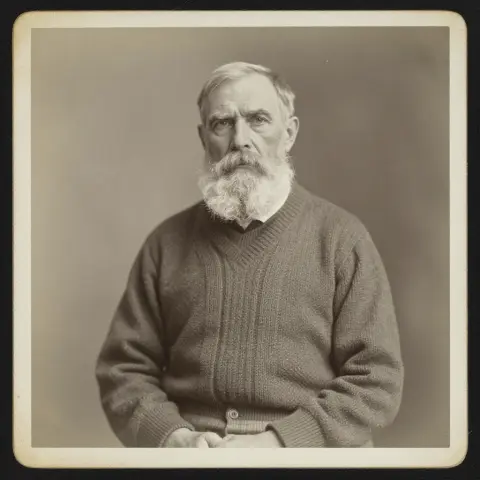 From this photo
Made with one sentence
Real results, each with the exact words that made it.
- Restore an old photo“restore and colour it, then: he blinks slowly and smiles”
- Animate a photo“he steps forward as embers drift past, lifts his head and barks once”
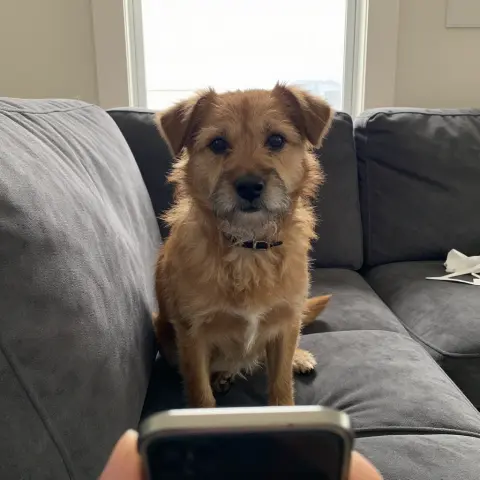
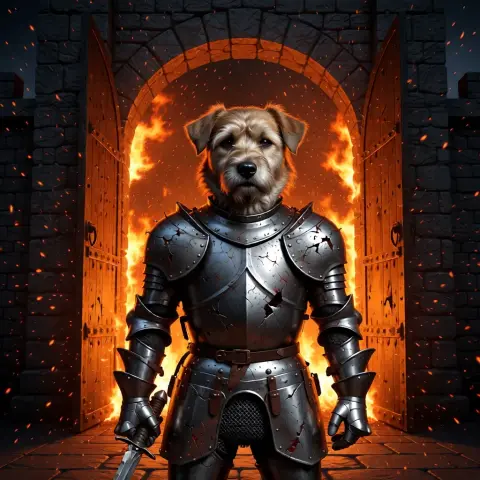 Edit a photo“put this dog in battered knight armour at a burning castle gate; keep his face exactly the same”
- Make a photo talk“You’re still up? Good. Stay with me a while.”
- Text to video“An old lighthouse keeper climbs the last steps in a storm, opens the door at the top, and a giant wave rises out of the dark sea.”
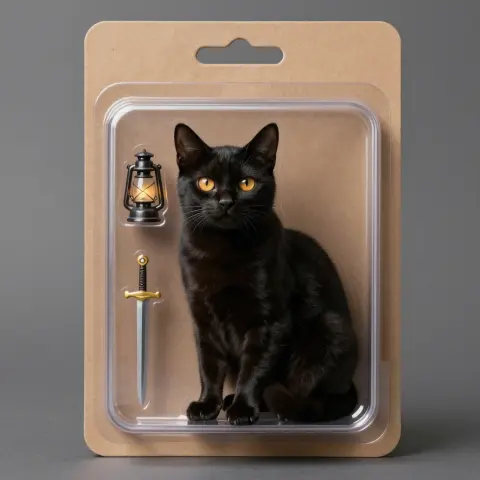 Make an image“a black cat with amber eyes as a collectible action figure in a blister pack, with a tiny lantern and sword”
How it works
- 01Add an old photo
- 02Restore and colour it
- 03Bring it to life as a clip
Add a scan or a phone picture of an old print, and nokeep removes the scratches, dust and fading and adds natural colour, keeping every face as it was. A restore counts as one of the 2 free pictures a day, with no account. Then, if you like, turn it into a five-second clip where the person blinks and smiles.
On this page
How it works
Step 1: Add the old photo. A flat scan is best; a phone picture of a print works if you avoid glare and shoot straight on.
Step 2: Add anything specific, or leave it blank: “keep it black and white”, “the coat was dark green”, “fix the torn corner”. The restore instruction is filled in for you.
Step 3: Open it in nokeep and send. The restored picture comes back next to the original. Keep it, try again, or use it as the first frame of a clip.
Bring it to life
A restored portrait can become the first frame of a short clip: “she blinks slowly and smiles”, “he turns his head toward the camera”. Small, gentle motion looks most natural. A five-second clip is 480 credits, about 48 cents, with sound.
What it can and cannot do
It removes scratches, spots, stains and fading, sharpens soft detail and adds colour that fits the scene. It works best on portraits and family groups where faces are visible.
Colour is a guess: the editor cannot know the real colour of a dress from 1920, so tell it when you do. Badly damaged faces may come back looking like a close relative rather than the person, so compare with the original. Results come back at about 1K.
What it costs, and what happens to the photo
A restore is an edit: it shares the 2 free pictures a day, then costs 100 credits, about 10 cents. Credits start at $5 and never expire.
Family photos are personal. The photo and the result are saved in your browser, not on nokeep’s servers; the processing runs under zero-data-retention terms, and nokeep keeps no copy and does not train on them.
Sources
Asked before you asked
Is restoring a photo free?
Yes, for 2 pictures a day with no account. After that a restore is 100 credits.
Can it colour a black-and-white photo?
Yes. It adds natural colour by default. Tell it the real colours you know, or ask it to keep the photo black and white.
Can I make the old photo move?
Yes. Use the restored picture as the first frame of a clip. Five seconds is 480 credits.
Will the faces stay the same?
Usually, with light damage. Heavy damage can change a face slightly, so compare the result with the original.
Does nokeep keep my family photos?
No. They are saved in your browser, and processed under zero-data-retention terms.